
Creating a home office that is both cozy and productive can transform your work-from-home experience. Whether you’re setting up a new space or improving an existing one, thoughtful design and organization can help you feel comfortable while staying focused. This guide offers practical tips to help you build a workspace that nurtures your creativity and efficiency.
1. Choose the Right Location
Selecting the best spot for your home office is essential. Look for a quiet area with minimal distractions. If possible, pick a place with natural light, as exposure to daylight can improve mood and energy levels.
– Avoid spaces with heavy foot traffic or noise.
– Consider a spare room, a corner of your bedroom, or a nook in the living room.
– Ensure the space has access to power outlets for all your devices.
2. Invest in Comfortable Furniture
Comfort plays a big role in your productivity. Ergonomics should be your priority when choosing furniture.
Desk
Opt for a desk that fits your needs—a surface large enough for your computer, notebooks, and other essentials, but not so big that it feels cluttered.
Chair
A supportive chair with adjustable height and good lumbar support will help prevent back and neck strain, especially during long work sessions.
Extras
– Consider a footrest if your feet don’t sit flat on the floor.
– Use a desk lamp that provides focused lighting, reducing eye strain.
3. Personalize Your Space
Adding personal touches can make your workspace inviting and motivating.
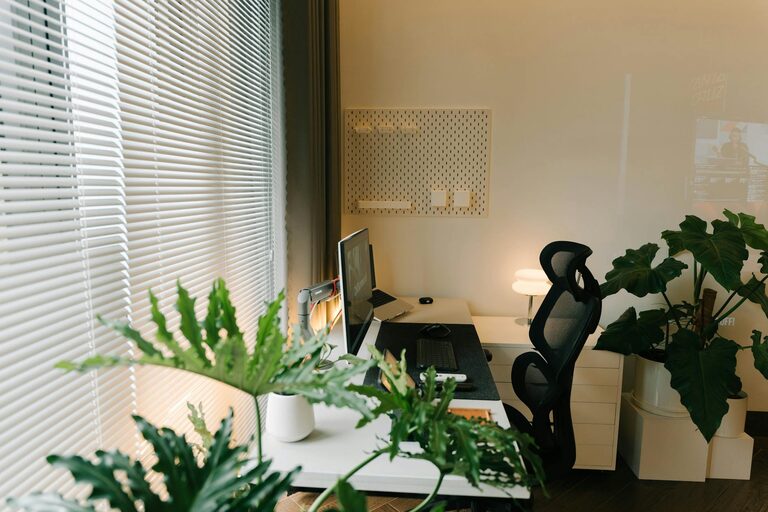
– Decorate with plants, which also improve air quality.
– Hang artwork or photos that inspire you.
– Use calming colors such as soft blues or greens or energizing hues like yellow, depending on what helps you work best.
4. Organize and Declutter
An organized space reduces stress and enhances focus.
– Use storage solutions like shelves, drawers, or file organizers.
– Keep frequently used items within arm’s reach.
– Declutter your desk regularly to maintain a clean work area.
5. Manage Technology Efficiently
Technology is central to most work-from-home routines.
– Position your monitor at eye level to avoid neck strain.
– Invest in a quality keyboard and mouse for comfort.
– Use cable management tools to keep cords tidy.
6. Control Lighting and Noise
Light and sound conditions can affect your work quality.
– Maximize natural light but use blinds or curtains to reduce glare.
– Add soft lighting options like a desk lamp or LED strips for late hours.
– Consider noise-cancelling headphones or white noise machines if external sounds are distracting.
7. Establish Boundaries
Setting clear boundaries helps maintain work-life balance.
– Define your work hours and communicate them to family or roommates.
– Use your workspace only for work to mentally separate your home and office life.
– Take regular breaks to refresh your mind and body.
8. Incorporate Movement
Sitting for long periods can reduce productivity and affect health.
– Use a standing desk or a desk converter to alternate between sitting and standing.
– Stretch or take short walks during breaks.
– Place commonly used items a bit further away to encourage movement.
9. Keep Essentials Handy
Stock your office with essentials so you aren’t interrupted during work.
– Office supplies like pens, paper, and sticky notes.
– A water bottle to stay hydrated.
– Healthy snacks for quick energy boosts.
Conclusion
Designing a cozy and productive home office takes some planning but can have a big impact on your daily work life. Focus on comfort, organization, lighting, and personalization. Creating a space that suits your needs will help you stay motivated, healthy, and efficient, turning your home office into a place you look forward to working in every day.
Related Posts

Tips for Creating a Relaxing Home Workspace to Boost Productivity
Creating a relaxing home workspace is essential for maintaining productivity…
Tips for Creating a Cozy and Productive Home Office Space
Creating a cozy and productive home office space is essential…

Simple Steps to Create a Cozy Reading Nook in Your Home
Creating a cozy reading nook in your home is a…